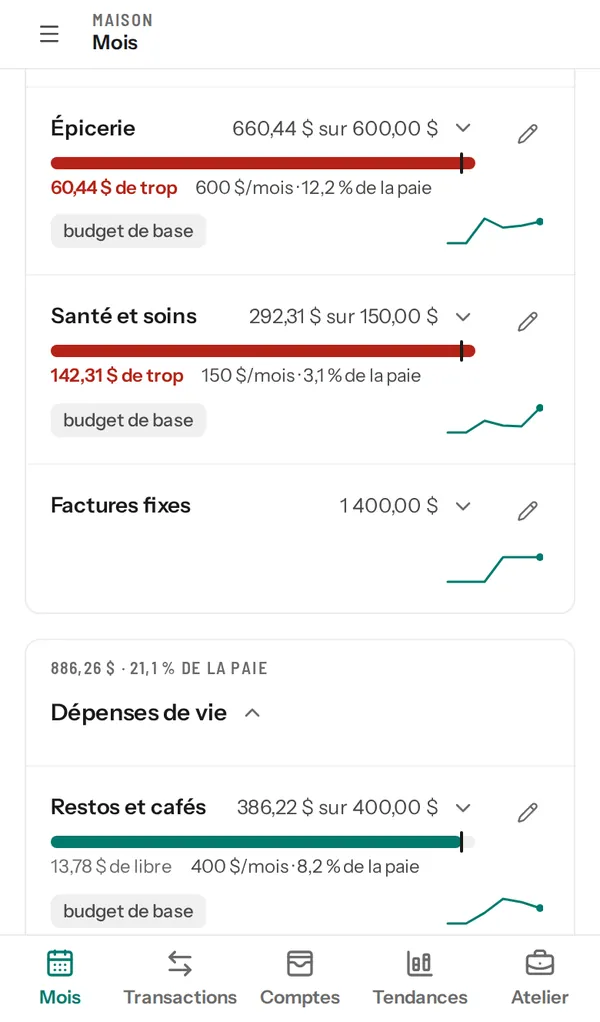
Your month at a glance
Your budget groups against what you planned, this week’s allowance for each card, and what needs your attention.
Monsieur Budget tracks your budget, sorts your spending and answers your money questions, with the figures to back it up.
Private beta by invitation, free during the beta.
How much did I spend eating out this month?
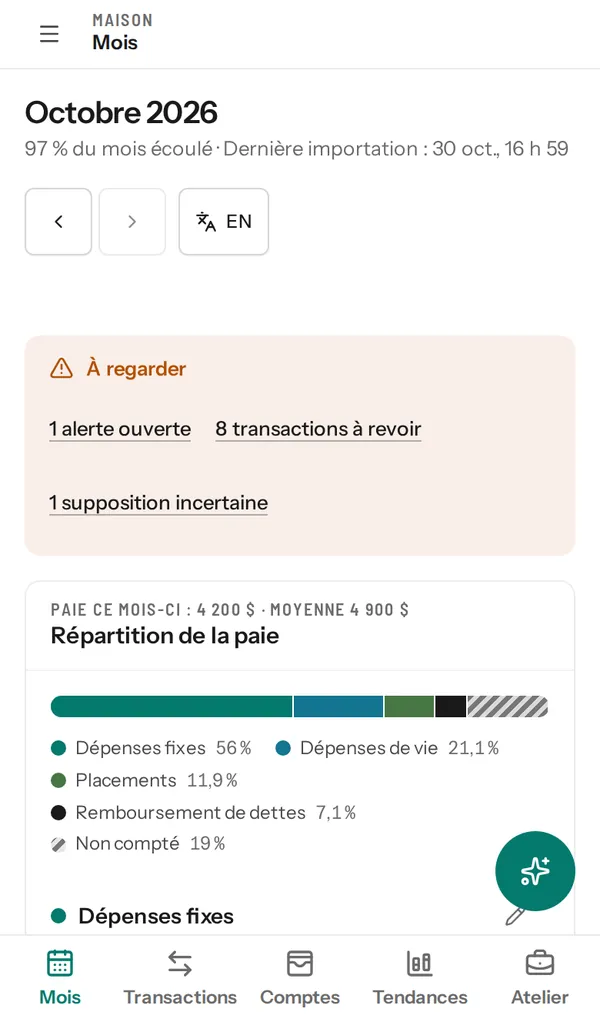
$386.22 of the $400 planned for restaurants and cafés. You have $13.78 left until the end of the month.
It’s all on the first screen, updated every time you import a statement.
Your budget groups against what you planned, this week’s allowance for each card, and what needs your attention.
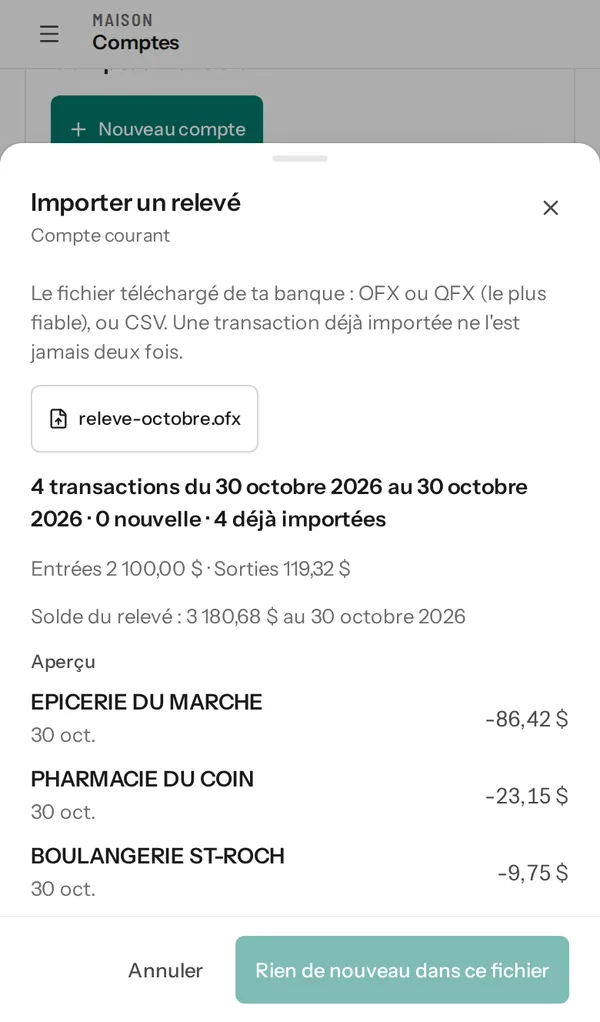
Download your bank’s statement (OFX, QFX or CSV) and import it. A transaction that’s already in never comes back as a duplicate. Fix a category, and the correction carries forward.
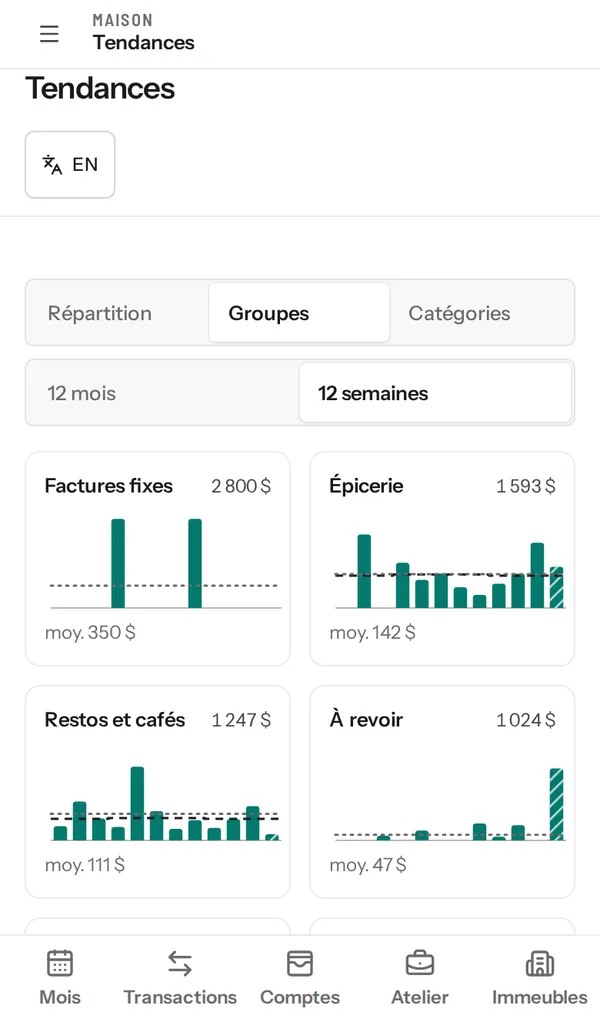
Every spending group over twelve weeks or twelve months, with its average. You see right away what’s creeping up.
About your money, yes. The assistant reads your figures and answers with the amounts, and a chart when it helps.
Why did my groceries go over in October?
You’re at $660.44 of $600. The gap comes mostly from two big orders, on October 12 and 26.
I also noticed Pharmacie du coin is filed under Groceries. I suggest:
File “Pharmacie du coin” under Health and care
Its 3 October purchases, and future ones
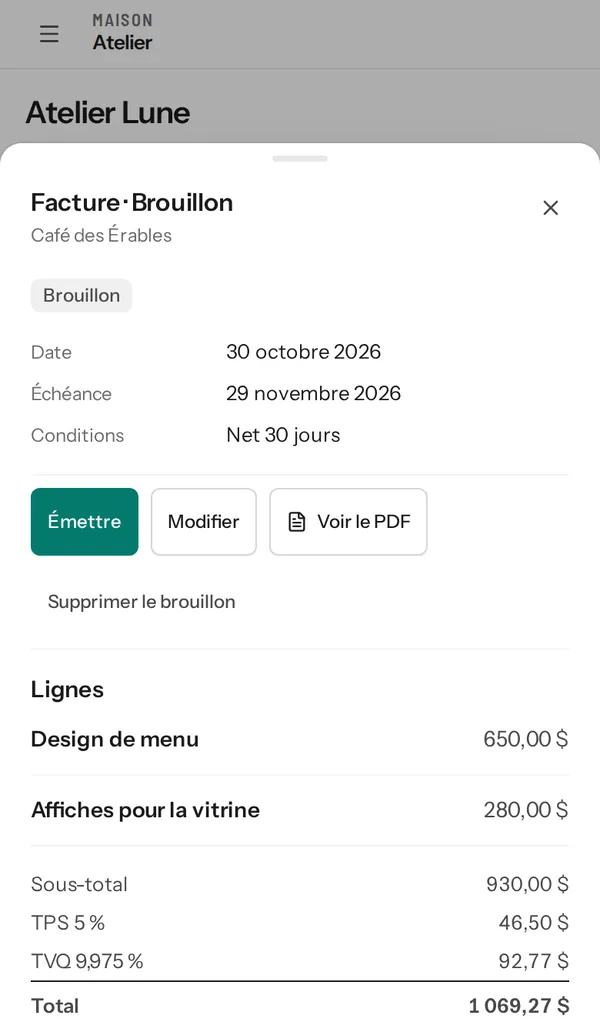
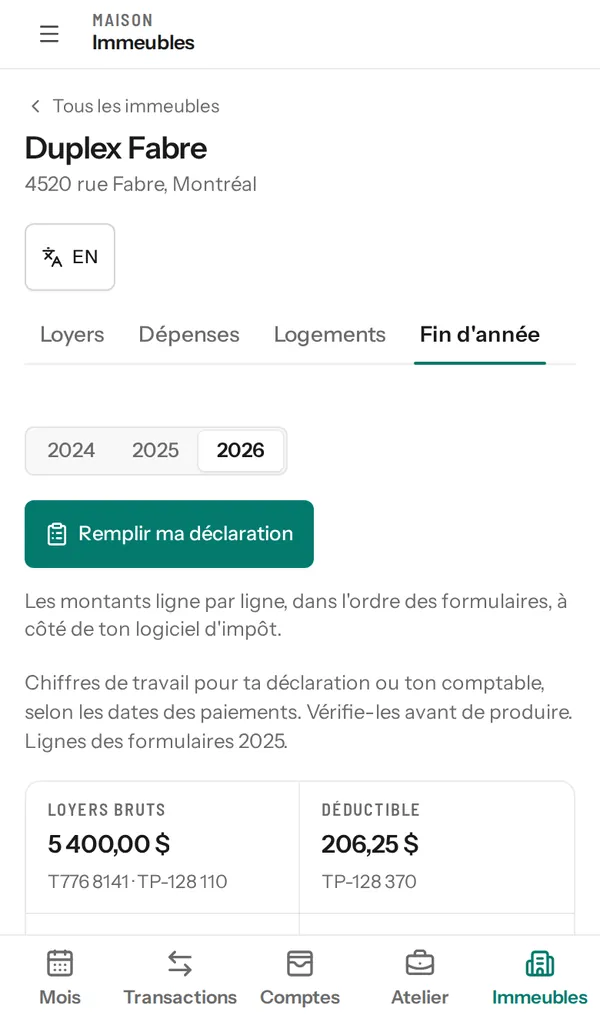
The app also handles invoices, rent and the year-end figures.
The short answer, plainly.
Nothing during the beta. The app is free for the whole private beta.
The beta is private: access is by invitation. Join the waitlist and we’ll write to you when your spot is ready.
If your bank or credit union lets you download your statements as OFX, QFX or CSV files, yes. Look for the download option on your bank’s website, often near your transaction history.
You can also connect your bank through Plaid: your transactions then arrive without you downloading anything.
Never. If you connect your bank, you sign in in Plaid’s window: your password never goes through the app. You can also import your statements yourself.
An artificial intelligence model: Command A, from the Canadian company Cohere, running in Microsoft Azure. Your questions may be processed outside Canada.
The assistant reads your figures to answer and suggests changes that you approve. It never moves money and gives no investment advice.
Your data is hosted in Canada: the app and your files in Québec City, the database in Toronto, with Microsoft Azure. No ads, and your data is never sold.
Yes, if you’re self-employed or rent out a unit. The app prepares the T2125 and TP-80 figures, or the T776 and TP-128 figures, line by line, and compares the two GST and QST methods.
You enter those figures in your tax software: the app does not file the return for you.
Yes. Export it whenever you like, and delete your account and your data whenever you like.
Yes, by invitation. The private beta is free. Leave your email and we’ll write to you when your spot is ready.